
Welcome to the “Lessi Learned” Newsletter!

At the Coveware blog, a few days ago, an interesting post was published. It covers the Nitrogen ransomware targeting VMware ESXi servers, but with an unexpected twist: the malware has a critical bug that makes decryption impossible.
Even paying the ransom won’t restore access, because the encryption keys are broken. This unusual case highlights just how crucial it is to have valid, tested backups. At the end of the day, this is a stark reminder: backups are your last line of defense, and without them, no ransom can save your data.

Lessons learned
Veeam Backup & Replication Essentials & Veeam Software Appliance
One detail that is easy to overlook – but still relevant in practice – concerns the use of the Veeam Backup & Replication Essentials license.
When this license is in place, it is indeed possible to deploy the Veeam Software Appliance, which can be a convenient and efficient option for many environments. However, there is an important limitation to be aware of: at least at the moment, the Veeam Software Appliance may not be deployed on physical hardware when using the Essentials license. Its use is supported to virtual deployments only.
Read more here: https://forums.veeam.com/post552308.html#p552308
Upgrade path Hardened Repo ISO 2 to V13 appliance
If you have a Veeam Hardened Repository based on the ISO 2 in place, you might be interested in the available upgrade path to the V13 Infrastructure Appliance Hardened Repository:
https://helpcenter.veeam.com/docs/vbr/userguide/upgrading_hr_iso_v2.html?ver=13
Veeam HA Monitoring and Automated Failover
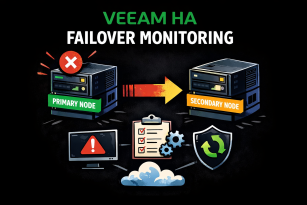
With the release of Veeam Backup & Replication 13, High Availability for the Veeam Software Appliance (Veeam HA) was introduced, enabling failover of the primary backup server node.
Less widely noted is that the Veeam ONE 13.0.1 update adds monitoring and alerts specifically for this feature.
A broad set of alerts now covers failures and health degradations in the HA environment:
- Veeam Backup & Replication HA cluster created
- Veeam Backup & Replication HA cluster disassembled
- Veeam Backup & Replication HA cluster primary node state
- Veeam Backup & Replication HA cluster secondary node state
- Veeam Backup & Replication HA cluster failover state
- Veeam Backup & Replication HA cluster switchover state
In addition, remediation actions can be configured to initiate a semi‑automated failover if the primary node becomes unavailable.
Detailed instructions on setting this up are available here: Veeam Community Blogs
Community Tool for Veeam M365 Backup Migration
If your organisation is using Veeam Backup for Microsoft 365 and still stores backups on Block Storage, it may be time to consider migrating to Object Storage‑based repositories.

Object Storage offers better compression – often up to ~50% depending on the objects – and allows enabling features like Immutability, Backup Copy Jobs, and encryption. It also provides improved performance, as Block Storage relies on JetDB databases, which can slow down as they grow.
Currently, transferring data from Block Storage to Object Storage repositories requires PowerShell cmdlets.
For those who prefer not to script manually, the Veeam Backup for Microsoft Office 365 Data Manager Tool (community project, not an official Veeam tool – use at your own risk!) helps automate the migration and management of backup data between repositories.
You can find the tool and a short blog article about it here: M365 Migration Tool

Feature of the day
Encryption Password Verification (Version 13)
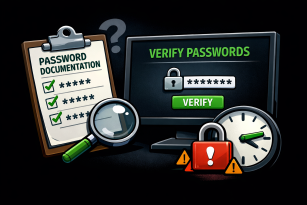
Imagine a long-serving administrator leaving the company. The successor—or perhaps the CISO—now faces a familiar question: Do the documented encryption passwords actually match reality? And yes, let’s hope that documentation exists at all.
Veeam Backup & Replication (starting with Version 13) provides a secure way to answer this question. Encryption passwords can be verified exclusively via the Password Manager UI, ensuring a controlled and auditable process. This allows organizations to carefully cross-check password documentation against the system—without risking accidental changes or exposure.
Security is built in by design. A hard-coded brute-force protection mechanism blocks further verification attempts for 15 minutes after repeated failures. This effectively prevents misuse while still enabling legitimate validation when it matters most.
Learn more here: Veeam Helpcenter
Thanks for reading
I hope you enjoyed this edition of my Lessi-Learned Newsletter. Thank you for reading!
Got feedback or something you want to see in the next edition? Leave a comment, write me on X (@lessi001) or connect at LinkedIn.
Want to get the newsletter hot off the press? Sign up for my mailing list and I’ll drop a note in your inbox as soon as the latest issue is ready: